USER DRIVEN SOLUTION PROCESS
Product-Oriented Solution VS
User-Oriented Solution
In my design process, I rely on three core frameworks to build user-focused, value-driven solutions: User Journey Maps, Personas & Scenarios, and User Storyboards.
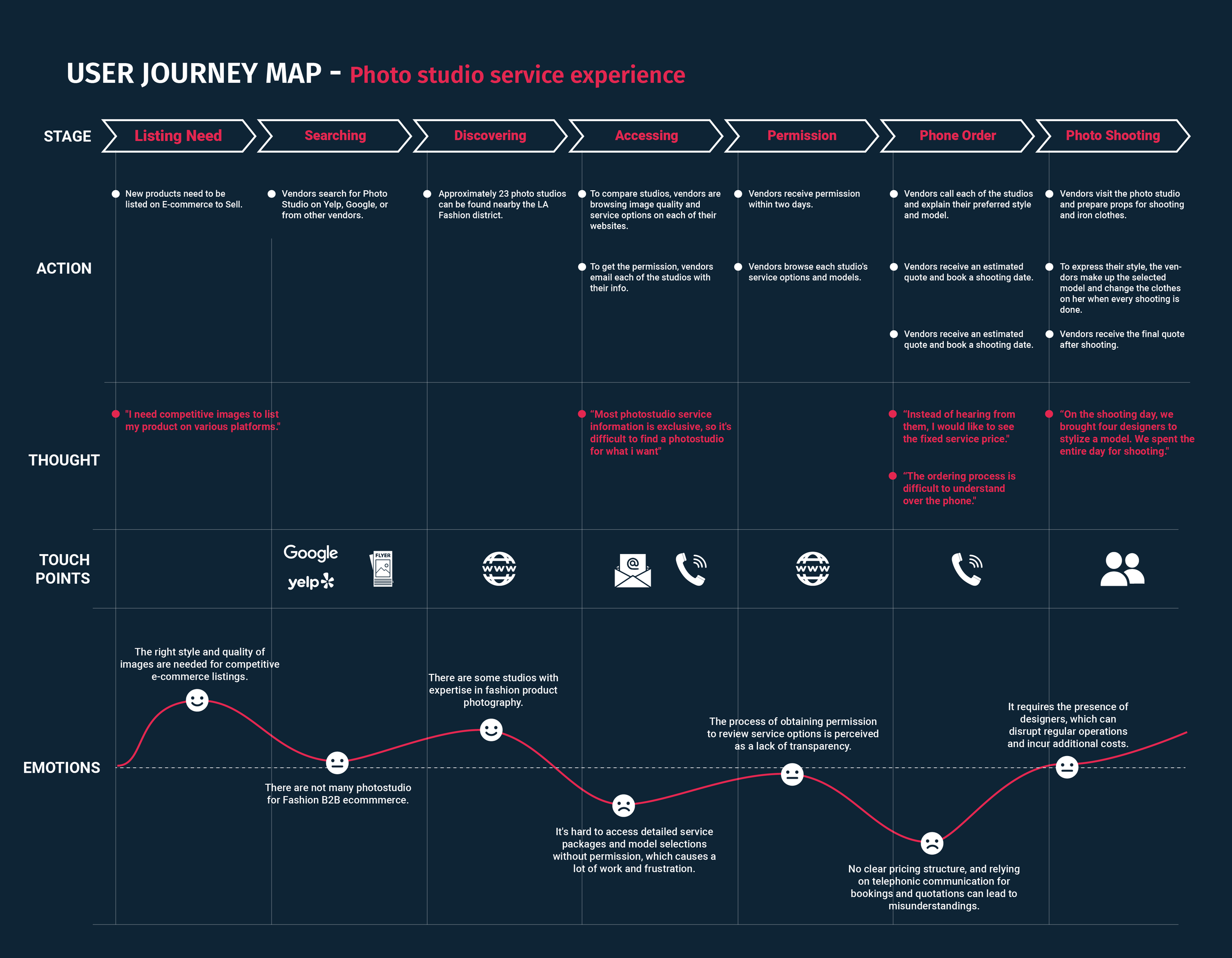
I start with a User Journey Map to study users’ emotional and cognitive experiences and identify the moments that shape how they solve problems.
Then, I translate those insights into Personas and Scenarios to clarify who the target users are and what they need in context—beyond demographics, including behaviors, motivations, constraints, and real-life challenges.
Finally, I bring the strategy to life through User Storyboards. These storyboards aren’t just visuals; they are narratives that simulate how users interact with the product in real situations, while also helping teams align the user experience with business goals.
1) User Journey Map
Understanding Needs in Users’ Contexts
User Journey Maps visualize how users move through an experience, including emotional shifts and decision-making patterns. By mapping the journey, I can identify the touchpoints where design can reduce friction and increase confidence. For example, in the car purchasing app CVIEW, the journey map revealed that dealer interactions often felt intimidating—turning excitement into stress. It also showed that decision helpers played a critical role in the process, which guided the design direction toward reducing anxiety and supporting better choices. Ultimately, the journey map defines where to focus so the solution aligns with real user pain points.
2) Persona & Scenario
Finalizing Scope Based on Journey Insights
Using insights from the journey map, I develop 2–3 personas and scenarios that reflect distinct user behaviors and needs. In the CVIEW project, one persona was a single mother with limited car knowledge who needed a reliable vehicle for daily caregiving. Building her scenario clarified the information gaps, the emotional barriers, and the moments where guidance mattered most—especially how decision helpers influenced her choices. This step ensures the team is solving a specific set of unmet needs, grounded in users’ physical and cognitive realities.
3) User Storyboard
Simulating Product Concepts and Go-to-Market in User Stories
After personas and scenarios are defined, I use storyboards to simulate how users would discover, adopt, and use the product in real life. Storyboards make product concepts tangible and help test both usability and value. In CVIEW, we introduced an augmented reality tool to improve access to information and support purchasing decisions. The storyboard showed how users would integrate the app into their routine, which helped refine the product experience and strengthen the marketing plan. n that sense, storyboards serve as a practical tool for teams and stakeholders to validate desirability and market viability before moving forward.